
Fax & lab-result intake
Automated fax and lab-result intake for Veradigm® EHR.
Faxes and lab results are filed in Veradigm® EHR and sent to the provider as soon as they arrive, so your staff stop indexing documents by hand.
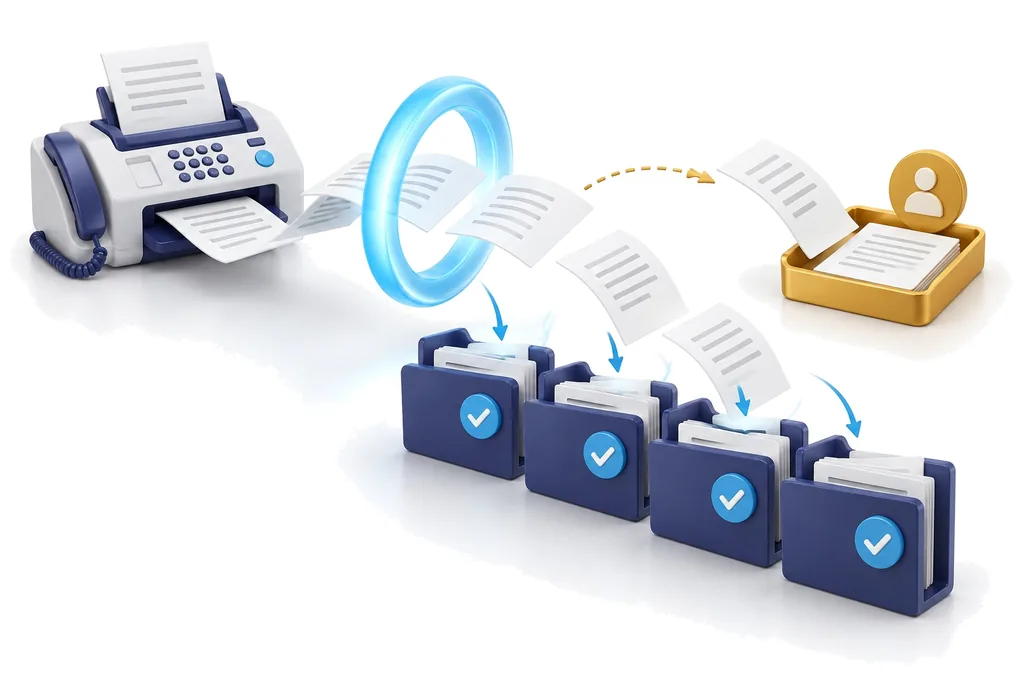
Process
Each document follows six steps, all recorded in the audit log.
- Receive
- Read
- Match
- Categorize
- File
- Notify
What happens at each step
Receive
Faxes and lab files come to Drawbridge first, through the fax routing and lab file drop MOATiT sets up with you. Duplicates are caught.
Read
OCR inside Drawbridge on MOATiT-managed servers, page by page: patient name, date of birth, MRN, sender, document type, dates and abnormal flags.
Match
Full name + date of birth must match exactly one patient. SSN last 4 or address, when printed, must agree.
Categorize
Mapped to your EHR's own document categories, for example lab results to "Lab Results".
File
The original document is filed to the patient's chart, unaltered, with clinical date and a clear title.
Notify
A review task linked to the document goes to the ordering provider, or the reviewer you choose.
Samples
Confirmed matches are filed; exceptions are routed to staff.
- Read inside DrawbridgePage by page, on MOATiT-managed servers.
- Matched: full name + date of birthExactly one patient, with every identifier in agreement.
- Category: Lab ResultsYour clinic's own category name.
- Review task → ordering providerLinked to the filed document in the EHR task list.
- Name + date of birth match one patient
- Address on the document is differentThis may be an outdated address or a different patient, so staff review is required.
Capabilities
Designed around how practices receive documents.
Two-identifier patient matching
Full name and date of birth must match exactly one patient.
Batch splitting by patient
Multi-patient lab files are separated into one document per patient.
Critical-result escalation
Critical values create a High-priority review task marked CRITICAL.
Staff-review document types
Records requests, prior authorizations, refills and referrals are routed to staff.
The details
Patient matching on two identifiers
Two identifiers, full name and date of birth, must match exactly one patient. A conflicting MRN, phone, SSN last 4 or address sends the document to staff, even when everything else agrees. Twins and look-alike names are checked for on every decision.
Daily lab batches, split by patient
One file with many patients' results is read page by page and cut into one document per patient, each matched and filed on its own. If any page needs a second look, the whole file goes to staff.
Critical-result escalation
A lab's critical flags (HH, LL, CRITICAL, PANIC) create a High-priority review task marked CRITICAL, with a phone call recorded as required. Your staff make that call.
Review task to the ordering provider
Drawbridge reads the ordering provider from the document and matches them to one of your EHR users. If it can't, the task goes to your designated reviewer.
Same-day appointment rule
If your providers see same-day results at the visit, results collected on an appointment day can be filed without an extra task. Critical results always notify.
Staff-review document types
Records requests, prior authorizations, refill requests and referrals go to staff by default, even with a perfect match. Your practice decides the list.
Staff review queue
Documents that require review arrive already read, with the suggested patient and the reason. File it with one click, change the category, or send it to your Veradigm® indexing queue.
Learning week
For the first week Drawbridge learns where your staff file each type of document, so it files them the same way when it takes over.
Read on MOATiT-managed servers
OCR runs inside Drawbridge on MOATiT-managed servers; documents are not sent to outside AI services. Drawbridge's working copies are deleted 30 days after filing; the chart copy is the record.
Accuracy
Accurate filing from the first document.
0
wrong-patient filings
20 of 20
auto-filed documents landed in the right patient's chart
~50%
of documents filed with no staff touch; the rest arrive pre-read for one-click review
Configuration
Filing rules are configured to your practice's policies.
A short setup questionnaire records your policies, and each answer becomes a configuration setting.
- Who reviews results: the ordering provider, or a reviewer or pool
- Who is told about critical results
- Which documents are always routed to staff
- Filing mode: watch only, staff click to file, or automatic, with any sender you choose kept to staff review
The other settings
- Your category names, for example "Lab Results"
- Which senders send daily batches, and which always go to staff
- Whether same-day results need a task
What we need from you
What we need from you
Drawbridge learns your practice first. We set up the rest with you when you approve going live.
- A five-minute setup sheetYour practice manager answers 15 questions about your rules and how documents flow today: who reviews results, which documents always go to a person, your booking rules.
- A signed BAA and Veradigm® accessYou sign our business associate agreement and authorize Veradigm® to give Drawbridge access to your Veradigm® EHR and Veradigm® Practice Management.
- Fax and lab routing, at go-liveWhen you approve going live, MOATiT sets up the fax routing and the lab file drop with you, so faxes and lab files come to Drawbridge first.
- Call forwardingYour line forwards the calls you choose to Drawbridge first.
Filed results and review tasks appear in Veradigm® EHR, where your team already works.
Fax and lab intake: frequently asked questions
How does it make sure a lab result goes to the right patient?
It needs two identifiers, full name and date of birth, matching exactly one patient. If the document also shows the last four of the SSN or an address, those must agree too. A look-alike patient, a conflicting identifier, a hard-to-read page or more than one patient on a page sends the document to a person instead.
What happens when a document needs a person?
It goes to your staff review queue with the reason (for example, 'address on the document is different'), already read and with its best suggestion, so staff can file it with one click, change the category, or send it to your Veradigm® indexing queue. On the phone, the assistant offers a transfer during business hours or takes a message.
Are some documents always handled by a person?
Yes. By default, records requests, prior authorizations, refill requests and referrals always go to your staff, even when the patient match is perfect. Your practice can change that list. Critical lab results are filed with a High-priority review task marked CRITICAL and a note that a phone call is required; your staff make that call.
What does going live look like?
Four steps. (1) Your practice manager answers a 15-question setup sheet about your rules and how documents flow today, in about five minutes. (2) You sign our BAA and authorize Veradigm® to give Drawbridge access. (3) Learning week: For one week Drawbridge works alongside your team and learns how your practice runs: where each type of document is filed, who reviews it and how your schedule works. Your staff work exactly as they do today, and Drawbridge changes nothing. (4) Go live when you approve: Faxes and lab files come to Drawbridge first; MOATiT sets up the fax routing and the lab file drop with you. Drawbridge files what it can match with certainty and sends a review task. Anything that needs a person goes to your Veradigm® EHR document queue for staff, as today. For the phone assistant, your line forwards to Drawbridge first.
What do you need from our practice?
Before the learning week: about five minutes for the setup sheet, and your signature on the BAA with the Veradigm® authorization. Nothing in your systems changes. When you approve going live, MOATiT sets up the fax routing and the lab file drop with you, and your line forwards the calls you choose to Drawbridge first.
Is our patient data used to train AI models?
No. No AI models are trained on your data, including your calls. Documents are read by OCR running inside Drawbridge on MOATiT-managed servers, and are not sent to outside AI services; and the decision of which chart a document goes to is made by rules you can audit.
Where is our data stored, and for how long?
In the United States, on MOATiT's cloud infrastructure and in MOATiT's data center, single-tenant per practice. The chart copy in your EHR is the record: Drawbridge deletes the original fax 30 days after filing and patient details on its intake records after 90 days, keeps call records 30 days, and keeps the audit log for six years.
Schedule a live intake demonstration.
A MOATiT engineer processes a sample lab fax in real time, including one that is routed to staff for review.